A complete architectural and practical guide to Snowflake’s cloning capabilities.
Snowflake Zero Copy Cloning: Fast Duplication, Testing Isolation & Time-Travel Recovery
1. Introduction
Zero Copy Cloning in Snowflake is a powerful feature that allows instant duplication of databases, schemas, and tables without copying physical data. Instead of rewriting micro-partitions, Snowflake creates a new metadata layer that references the same underlying storage blocks.
Core advantages include:
- Instant object duplication regardless of data size
- No storage overhead, since micro-partitions are shared
- Perfect for development, testing, POCs, migration dry runs, and backup snapshots
- Enables rapid experimentation without touching production objects
This architectural design makes cloning one of the most cost-efficient and operationally safe features in Snowflake.
2. Important Points to Remember About Zero Copy Cloning
Snowflake outlines several precise behavioral rules that are essential to understand:
- Clone objects have independent metadata but share the same micro-partitions
Only metadata is duplicated; data blocks remain shared. - No storage cost is incurred at clone creation
Storage is only consumed when either object diverges by modifying data. - Parent and clone do not impact each other
Updates, inserts, and deletes affect only the object on which the operation is executed. - Clonable objects include:
- Databases
- Schemas
- Tables
- Cloning a database copies all schemas and tables
Internal and external stages are not cloned. - Cloning a database does not copy role access, but child objects such as schemas and tables are cloned.
- Sequences and cluster keys are cloned
Clone inherits these configurations exactly.
3. Objects That Can Be Cloned
Snowflake categorizes clonable objects into two major groups:
Data Storage Objects
- Databases
- Schemas
- Tables
- Streams
Data Configuration Objects
- File Formats
- Stages
- Tasks
Image Description
A structured list showcasing two categories—data storage objects and configuration objects—that support cloning.
4. Practical Implementation (Step-by-Step)
This section translates the conceptual understanding into real Snowflake SQL execution.
4.1 Create Table and Insert Rows
CREATE OR REPLACE TABLE customers (
    customer_id INT,
    first_name VARCHAR(50),
    last_name VARCHAR(50),
    email VARCHAR(100),
    city VARCHAR(100),
    created_at TIMESTAMP
);

INSERT INTO customers (customer_id, first_name, last_name, email, city, created_at)
VALUES
(1, 'Vishal', 'Kaushal', 'vish.kaush@example.com', 'Agra', CURRENT_TIMESTAMP),
(2, 'Sachin', 'Mittal', 'sach.vish@example.com', 'Chennai', CURRENT_TIMESTAMP),
(3, 'Anil', 'Reddy', 'anil.reddy@example.com', 'Bangalore', CURRENT_TIMESTAMP);
Create Table customers & insert rows
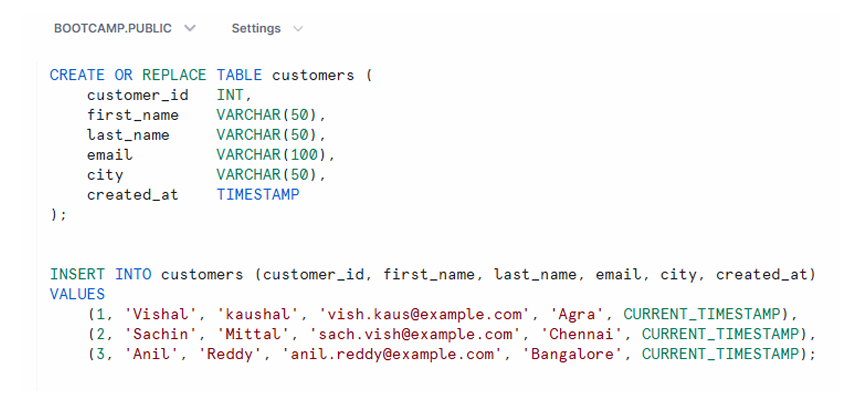
Snowflake worksheet displaying table creation and insertion of three sample rows.
4.2 Cloning a Table
CREATE OR REPLACE TABLE customers_clone
CLONE customers;
You may query both tables to observe that the structure and data are identical at creation.
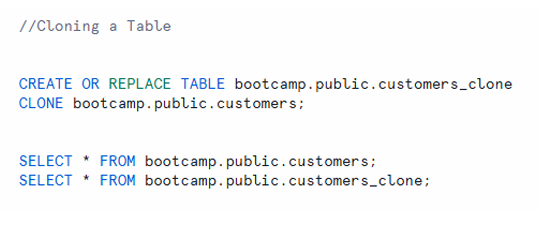
Clone table creation block with both source and clone queried side-by-side.
5. Cloning a Schema
CREATE SCHEMA copy_of_file_format
CLONE file_formats;
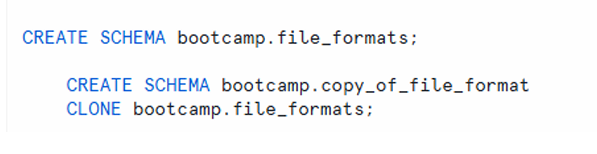
A schema clone definition showing parent and clone schemas.
6. Cloning a Database
CREATE DATABASE bootcamp_copy
CLONE bootcamp;
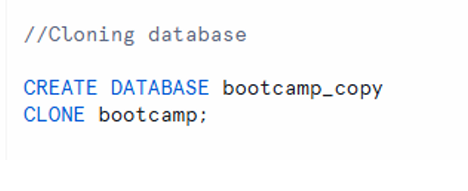
Database clone creation with clone database appearing in the Snowflake object tree.
7. Testing Clone Independence
This is one of the most critical sections—demonstrating that clones behave as fully isolated objects.
7.1 Update the Source Table
Update data in source object and observe whether data is changed in clone object.
UPDATE bootcamp.public.customers
SET FIRST_NAME = 'Chenchu'
WHERE CUSTOMER_ID = 3;
7.2 Check Source Table Results
The row for CUSTOMER_ID = 3 now shows FIRST_NAME = ‘Chenchu’.
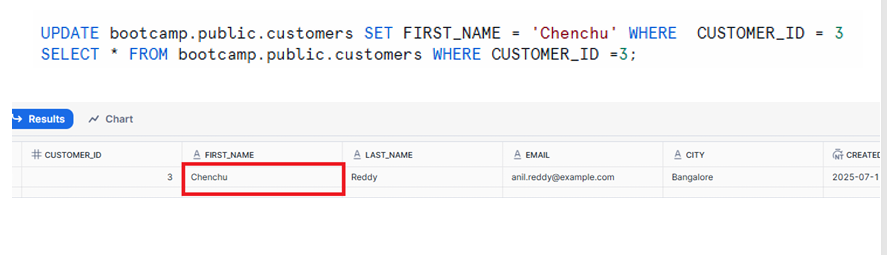
Source table displaying updated first_name value.
7.3 Check Clone Table Results
Check whether data is changed in clone object after updating in Source object.
The clone still shows FIRST_NAME = ‘Anil’, confirming independence.
Image Description
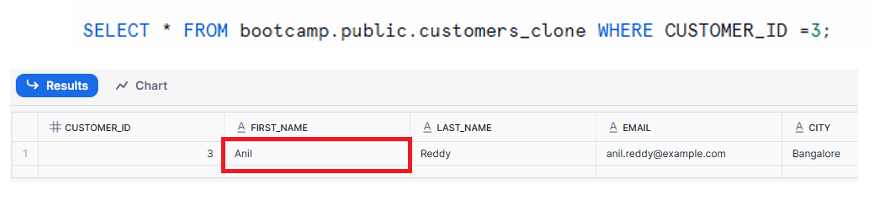
Clone table results with unchanged values.
Independence Summary
| Aspect | Source Table (customers) | Clone Table (customers_clone) |
| After Update | The FIRST_NAME for CUSTOMER_ID=3 is updated to ‘Chenchu’. | The FIRST_NAME for CUSTOMER_ID=3 remains ‘Anil’. |
| Data Sync | Reflects the latest changes/updates. | Does not reflect changes made in the source after cloning. |
| Independence | All DML (update/insert/delete) operations affect this table only. | The clone remains as a static, independent snapshot from the moment it was created. |
| Action Performed | Source Table | Clone Table |
|---|---|---|
| Update in Source | Yes | No |
| Update in Clone | No | Yes |
Meaning:
- Changes in the source do not affect the clone.
- Changes in the clone do not affect the source.
- Each object becomes an independent entity from the moment of cloning.
8. Dropping Cloned Objects
DROP DATABASE bootcamp_copy;
DROP TABLE customers_clone;
DROP SCHEMA copy_of_file_format;
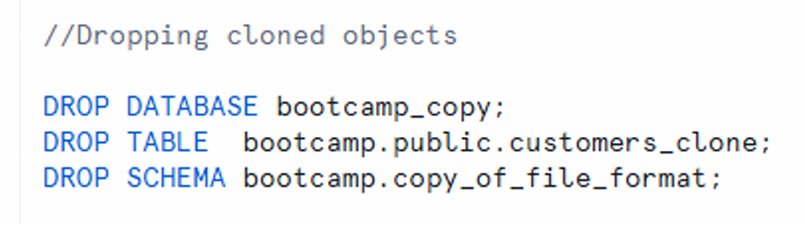
Statements used to clean up cloned objects.
9. Cloning Using Time Travel
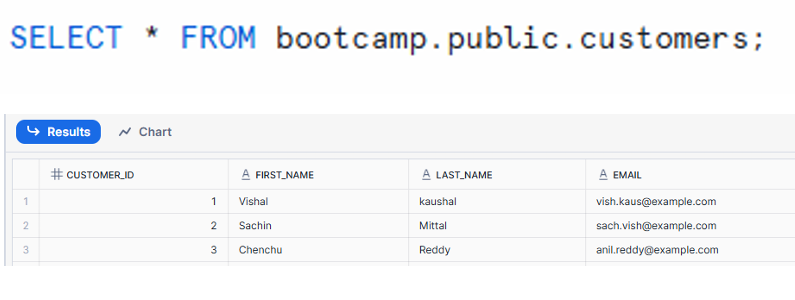
This feature allows cloning historical states of a table.
There are 3 records in above table:
9.1 Show Initial Records
The customers table initially contains 3 rows.
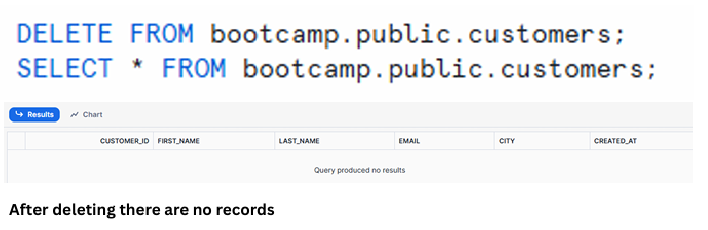
Table with three original records.
9.2 Delete Records
DELETE FROM bootcamp.public.customers;
Now the table is empty.
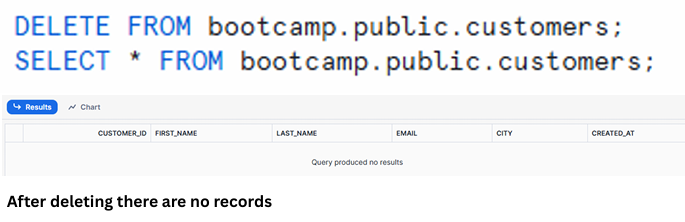
Empty customers table after deletion.
9.3 Clone Past Version Using Time Travel
CREATE OR REPLACE TABLE customers_tt_clone
CLONE customers AT (OFFSET => -60*5);
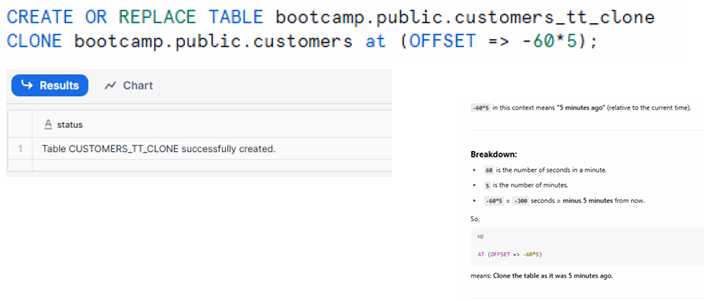
Time-travel clone created successfully.
Note : Set the OFFSET to match the number of minutes since your data was deleted or changed, example if you have deleted data 30 minutes before then OFFSET => -60*30
Explanation
OFFSETdefines time in seconds- Example:
- If data was deleted 30 minutes ago, use offset
-60*30
- If data was deleted 30 minutes ago, use offset
- This restores the table state from the specified time offset
9.4 Validate Recovered Records
Querying the clone confirms that all 3 deleted rows were restored.
Now let us check whether we have retained the deleted data.
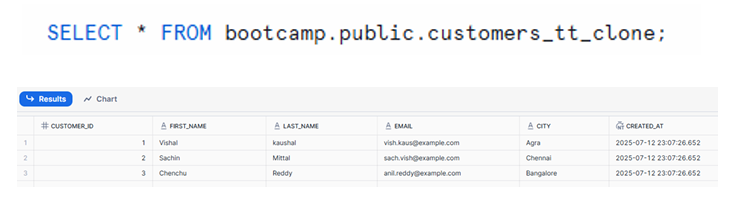
customers_tt_clone table containing the recovered records.
10. Final Summary of Zero Copy Cloning
Zero Copy Cloning in Snowflake offers:
- Instant duplication of databases, schemas, tables, streams, stages, file formats, tasks
- No storage overhead at creation due to shared micro-partitions
- Full independence between clone and parent
- Safe environments for testing, experimentation, POCs, and migrations
- Ability to restore past versions using Time Travel cloning
- Efficient rollback and backup mechanisms without operational complexity
Cloning elevates Snowflake’s productivity by minimizing cost, reducing operational overhead, and enabling rapid experimentation without impacting production systems.